Know which campaigns are working, not just which ones are spending.
What slows marketing teams down.
Every platform reports differently
Each ad network and analytics tool exports its own format, so comparing channels means manual clean-up.
Attribution needs an analyst
Linking spend to leads and conversions usually takes SQL or a long chain of spreadsheet formulas.
Reporting eats campaign time
Hours go into weekly performance reports instead of improving the campaigns themselves.
How marketing teams use ZettaSheet.
- 1
Upload your exports
Drop in last month’s spend, analytics and lead exports as CSV files.
- 2
Compare channels
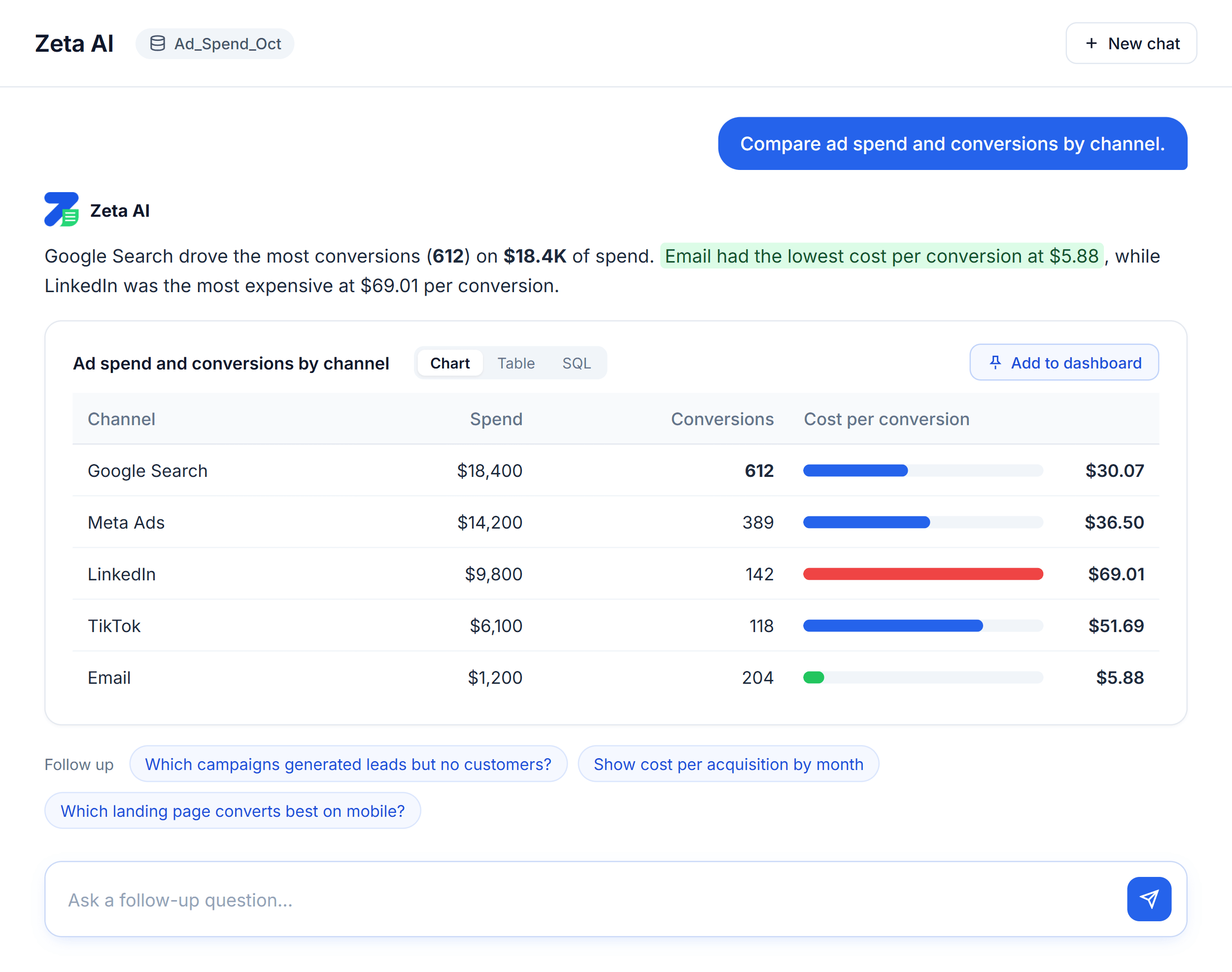
“Compare ad spend and conversions by channel” returns a chart and a short explanation.
- 3
Find what to change
Follow up with “Which campaigns generated leads but no customers?” to spot wasted spend.
- 4
Share before planning
Pin the answers to a channel dashboard the team reviews before deciding next month’s budget.
Data they bring
- Ad platform CSV exports (spend, clicks, conversions)
- Web analytics exports by page and device
- Lead lists exported from your CRM
- Marketing budget and spend sheets
CSV upload works on every plan. Database and cloud storage connectors are on paid plans.
Copy a question, paste it into Zetta AI.
Click any question to copy it.
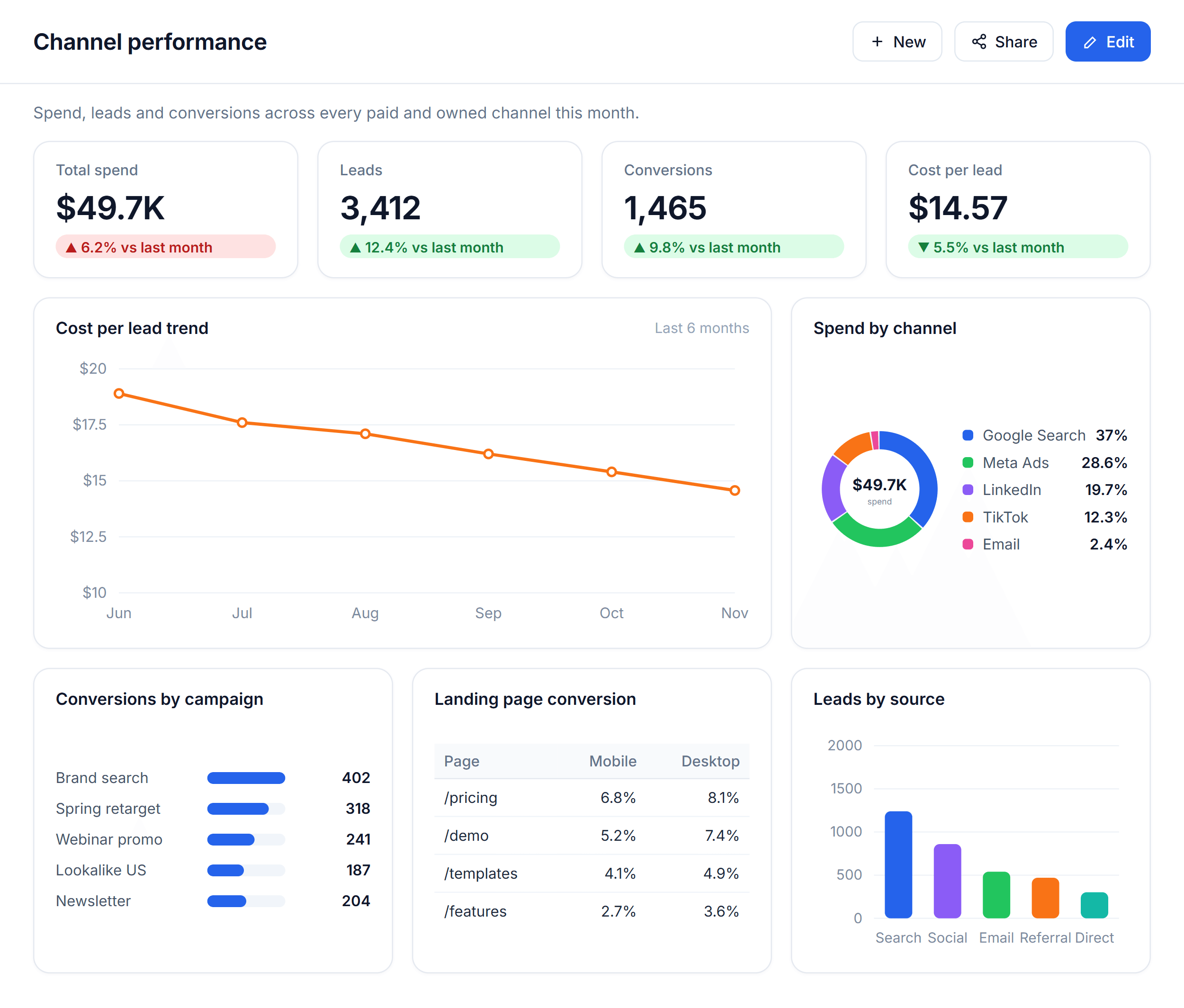
Channel performance dashboard.
Pin the answers you rely on, arrange them on one dashboard and share it with your team.
- Spend by channel
- Cost per lead trend
- Conversions by campaign
- Landing page conversion rate
- Leads by source